Make booking easier. Spend less time managing it.

Hi, I’m Cassi.
Cassi Migliore, Founder of Cedar Digital
At Cedar Digital, we build custom online booking systems for small businesses, bringing scheduling, deposits, customer details and reminders together in one branded experience.
Based in Buffalo, working with small businesses nationwide.
Interactive sample. No reservation or payment.
Client view · sample
Your booking is confirmed
Sample Studio · 60-minute session
- Date
- Thursday, 10:00–11:00 AM
- Name
- Alex Sample
Business calendar · sample
Sample booking flow
A fictional example of the steps a custom system can connect.
Request
Customer picks a service and date.
Quote
Price calculated from your rules.
Deposit
Deposit requested to hold the date.
Confirmation
Booking confirmed for both sides.
Fewer booking messages
Customers choose a service and time, or request a quote, without a long back-and-forth by text or email.
Quotes and deposits connected
Where your scope includes them, quote requests, deposits, and remaining balances follow one connected flow.
Easier to manage
See bookings and customer details in one place, with the confirmations and reminders you agree on.
Booking systems Cedar has built
YinFlex and PopHaus are founder-operated businesses. These projects show systems Cedar has built and used in its own businesses.
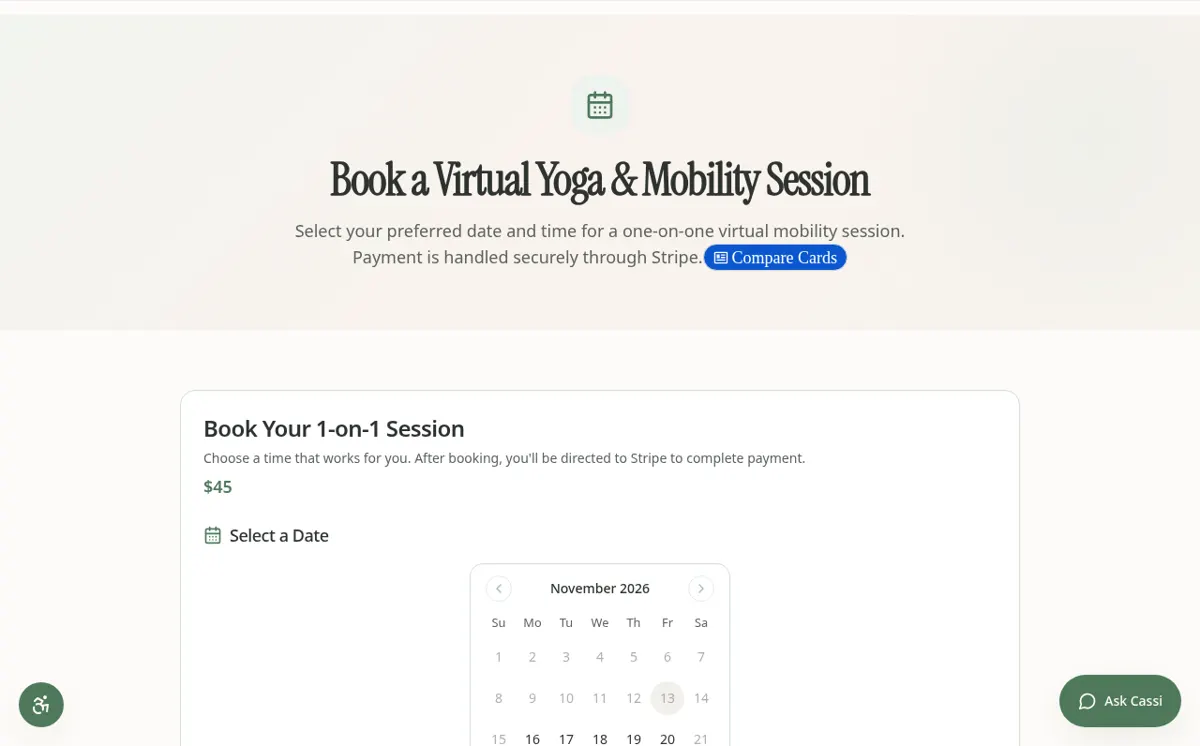
YinFlex — appointment booking on the website
Customers choose and schedule a service on the website, and appointments appear in the connected Google Calendar.
Explore the YinFlex Booking Project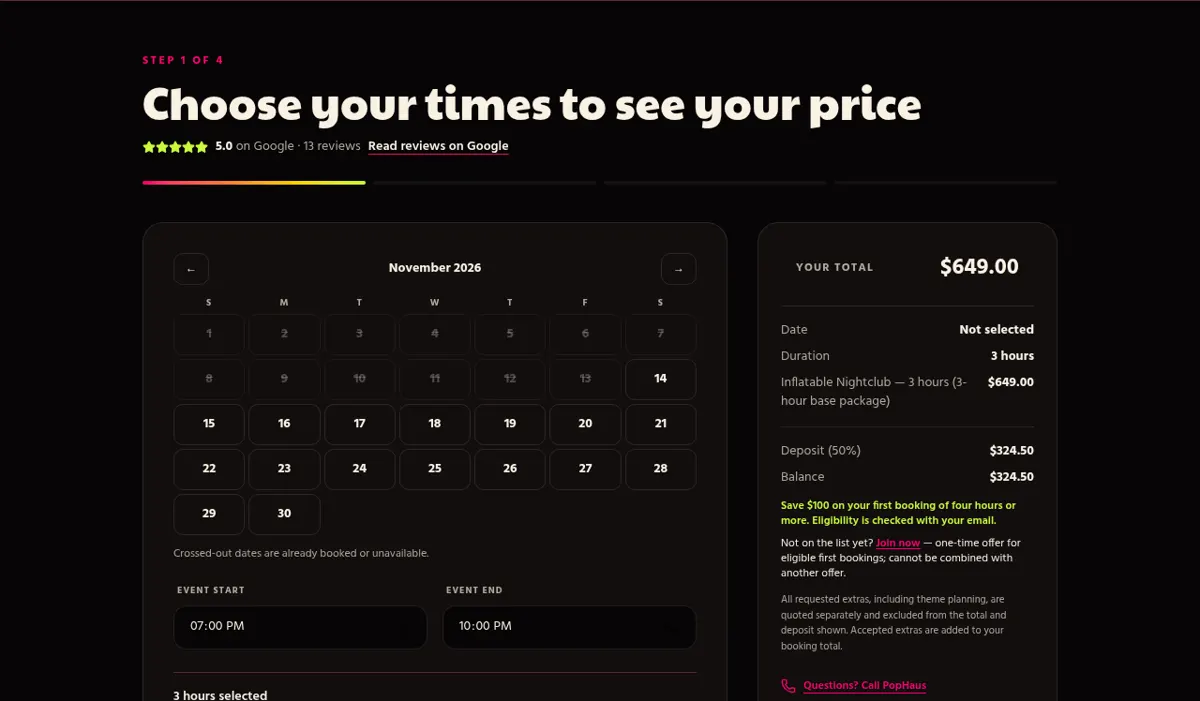
PopHaus — event quotes, bookings, and payments
A custom event website handles quote requests, deposits, remaining balance payments, and a private administration area, without a separate booking platform.
Explore the PopHaus Booking ProjectHave a similar booking challenge? Tell us how your process works today.
Discuss My Booking SystemSetup, customization, or a custom system
An existing platform may be all you need. We recommend the simplest option that fits.
Booking setup & integration
Choose and configure an existing booking tool, organize services and availability, connect it to your website, and set up supported reminders.
Best fit: Straightforward appointments.
Customized booking website
A branded website with booking steps, forms, calendars, or payments connected around your customer journey.
Best fit: Businesses whose website and booking need to work together.
Custom booking system
Custom quote rules, deposits and balances, setup buffers, approval steps, or a private booking dashboard. Feasibility and costs are confirmed before development.
Best fit: Event rentals and businesses with specific pricing or rules.
Available features, deliverables, and multi-staff booking
Depending on platform and scope, a system may include:
- Service selection and intake forms
- Availability and calendar connections
- Event quotes and custom pricing rules
- Deposits, payments, and balance requests
- Confirmation emails and reminders
- Setup, travel, or turnaround buffers
- A private view of bookings and customers
- Connections to supported tools you already use
You receive a tested booking flow with the agreed calendar and payment connections, checks of your booking, change, and cancellation rules, a walkthrough for owner and staff, and clear support responsibilities. Only features in your proposal are included.
For multiple staff or locations, we review who or what gets booked, shared rooms or equipment, location rules, and who needs access. Support for these is confirmed per project.
How it works
Discuss your workflow
Tell us how customers book today and what you want to improve.
Agree on scope
We recommend setup, customization, or development and explain the build fee and ongoing costs.
Build, test, and launch
We build and test the agreed workflow, then walk you and your staff through it.
What does a booking system cost?
A one-time build or setup fee, quoted from your requirements, plus a monthly plan for access, maintenance, and support within its stated scope.
Solo
from $29/month
One person, a straightforward booking system.
Small Business
from $49/month
Additional workflows.
Team / Advanced
from $69/month
Team scheduling or more involved business rules.
Tiers are indicative and scope-based, not unlimited. Your quote defines included features and usage; additional changes are scoped separately. Payment processing, messaging, hosting, and third-party subscriptions may cost extra. Business workspace pricing
Discuss My Booking SystemLet's make booking easier for your business.
Tell us what you do, how bookings work today, and what you would like to change. We will recommend a practical next step.
Questions about booking systems
Can you add online booking to my existing website?
Often, yes. After reviewing your site and requirements, the solution may be an embedded booking tool, a connected booking page, or a tailored integration, depending on what your platform supports.
Do I need a custom booking system?
Not always. An existing scheduling platform may meet your needs with the right setup. Custom development makes sense when your pricing, rules, or workflow can't be handled through supported configuration.
Can customers pay a deposit when they book?
Yes, where the selected platform and payment provider support it. Your proposal defines payment timing, remaining balances, and any cancellation or refund workflow.
Can it connect to Google Calendar?
It can be included. We define whether it should check availability, create events, or support two-way updates, then test that behavior.
Can I use this instead of Fresha or Acuity?
Possibly, depending on the features you rely on. A custom system does not automatically replace a platform's marketplace, mobile app, point-of-sale tools, or other features.
Will it save me money on booking software?
It depends on your current tools and the proposed setup. Custom systems still have operating and maintenance costs, so Cedar compares expected costs rather than assuming a custom build is cheaper.
Who maintains the booking system?
Your agreement explains responsibility for hosting, updates, third-party services, and support. Ongoing Cedar support can be included under a defined plan.
Who owns the system and customer information?
Your proposal covers ownership, access, customer data handling, export options, and what happens when support ends. Client-specific work, licensed Cedar components, and third-party subscriptions are identified before you commit.
Can I start with one part of booking?
Yes. A first project might be setting up your current scheduling tool, adding a booking page to your website, or connecting a calendar. More can be added later.
What happens automatically?
Only the agreed steps, such as a confirmation after booking or a calendar event. Exceptions, refunds, and unusual requests stay with you unless agreed otherwise.
Does my booking system need AI?
No. Scheduling, payments, and reminders usually work best through clear rules and dependable integrations. AI can be considered for a specific task but isn't required.